Features
Run the crew, not the paperwork.
The time clock, the jobs, the receipts and the vans in one app, built for AV and home integration, low-voltage and security crews. No tag means it's on every plan.
- Hours payroll can trustEvery punch and every fix on the record, ready for your payroll service.
- Know what each job costLabor, parts and receipts, job by job. Pro and Business
- Vans and receipts, handledAn upkeep log for every van, on every plan. Receipts read from a photo Pro and Business
- The crew on one appClock, messages and job notes on the phone they already have.
AV and low voltage
Built for the gear you install.
Crewnyx was started by a working AV tech, so it keeps what the next service call needs: what's installed, where it is, and how it's set up.
- Every unit you install. Serial, MAC, room, IP address and firmware, there for the next service call. Pro and Business
- Pre-wire, install, service call. The job type goes on each visit, so one site keeps its whole history.
- Plans and rack drawings on the job. Spec sheets, manuals and paperwork in folders on the job's page. Mark a file Office only and the crew never sees it.
- The client's network and alarm. Their UniFi network and Alarm.com system, right on the site. Business
- Wi-Fi plans. A floor plan for each floor, where the access points go, and the signal to expect in every room. Business
Time & pay
Hours payroll can trust.
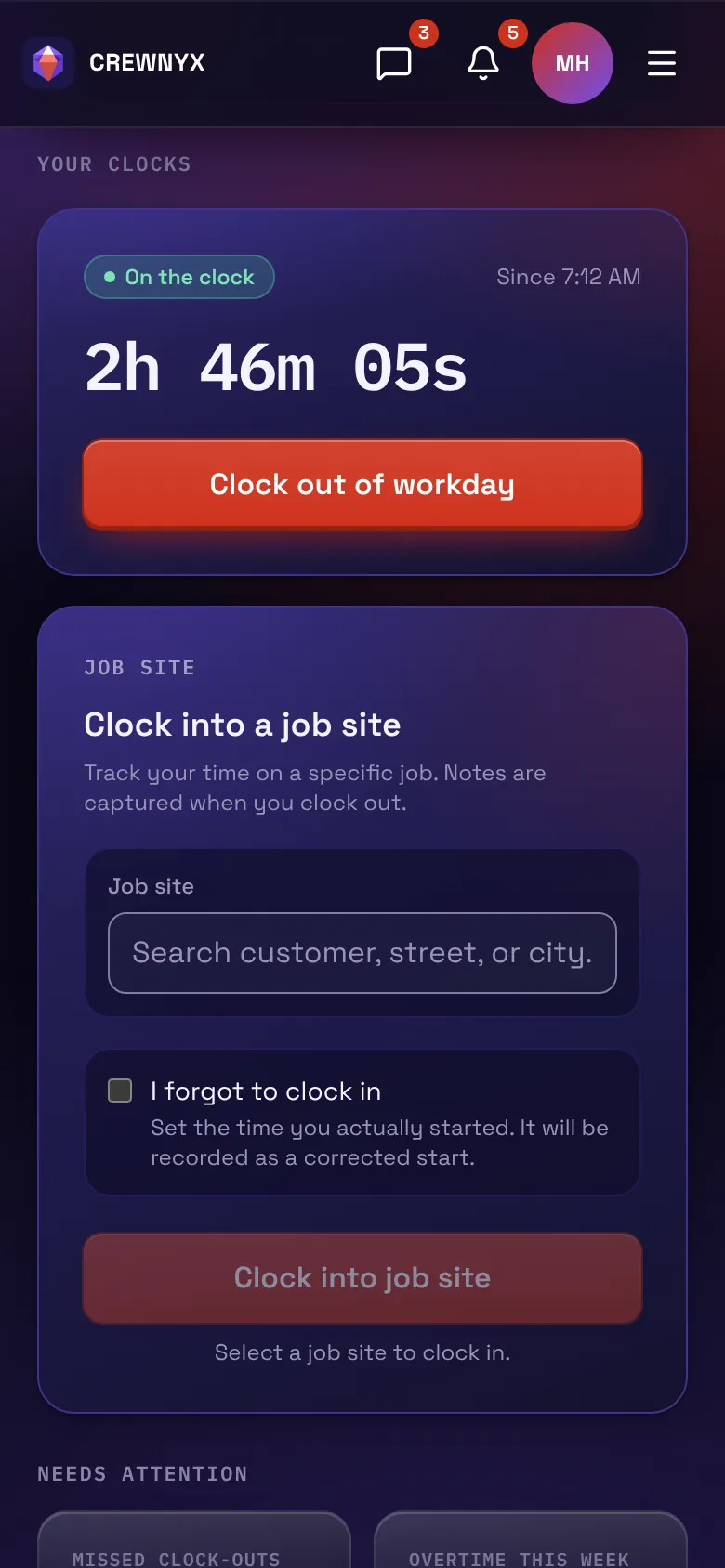
The crew clocks in from their phone or a shared tablet. Overtime is split out, every fix is on the record, and the pay period leaves in the file your payroll service reads.
- Two clocks on one card. The workday that payroll reads, and a clock for each job visit.
- Kiosk mode. The crew clocks in on a shared tablet with their PIN.
- Overtime, split out. Regular, overtime and double time for weekly, every-two-weeks, twice-monthly or monthly pay periods.
- Payroll files. Laid out for Gusto, QuickBooks Payroll, ADP and Paycor, plus a universal CSV.
- Time off. Requested from the phone, approved in one list, shown on the schedule. Pro and Business
More in time and pay
- Each punch records where it was made, when the phone shares its location.
- Breaks and lunch your way: an unpaid lunch taken out automatically, a lunch the crew clocks out for, or none, plus paid breaks as long as you allow.
- Reminders when someone forgets to clock in or out, at the times and on the days you choose. Until the phone apps are out, they show under the bell in Crewnyx.
- No signal at the job? If Crewnyx is already open, the punch is saved and uploads once the phone is back online.
- An optional photo at each punch on the kiosk, off until you turn it on.
- An alert when someone passes the daily hour limit you set, and the office can clock in someone who forgot.
- The crew confirms their hours for the period, and you can see if anything changed afterward.
- Fixes your way: let the crew correct their own punches, or send each fix to you to approve. Every change records who made it.
- Lock a pay period yourself, or have it lock a set number of days after it ends.
- Estimated gross and take-home pay for each person, for the owner and the accountant. The crew sees their own hours on their Time Card and their pay under My Pay.
- Early and late punches against the assigned schedule: flag them, or refuse the clock-in. Pro and Business
- A payroll PDF for your records. Pro and Business
- Early pay: someone on the crew can ask for part of the pay they've already earned this period, up to half, before payday. You approve or decline it and pay it the way you already pay them; Crewnyx keeps the record and never handles the money. Pro and Business
- Job-site geofences: a clock-in made away from the site is flagged for review, or refused if you prefer. Business
Jobs & customers
Know what each job cost.
Every client, site, note and photo lives on one record, so the service call starts where the install ended. Job costing adds up the labor, the parts and the receipts behind each job.
- A page for every job site. Notes, photos, files and a history of every change.
- Labor budgets. The hours a job was sold for against the hours worked, flagged from 80%.
- Job costing. Labor with your burden, parts from stock and receipts, with revenue and margin once you set a billing rate. Pro and Business
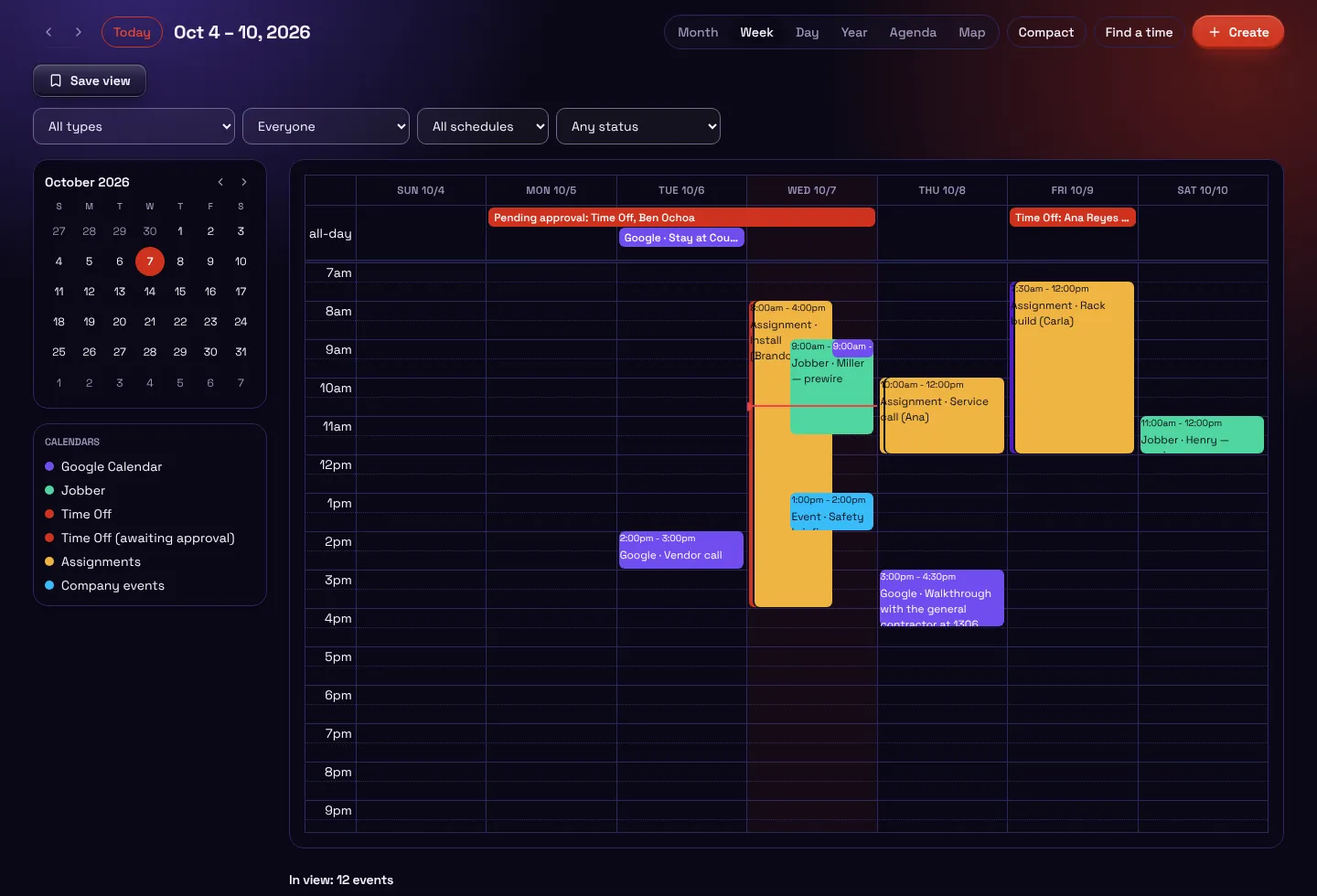
- Assignments. The week's work for the crew, repeating every 3, 6 or 12 months for maintenance visits. Pro and Business
- Tasks and checklists. Job-completion and inspection forms filled out in the field. Pro and Business
More in jobs and customers
- Clients, and the properties that belong to each, added by hand or imported.
- Job visits: each tech's time at each site, kept separate from payroll hours.
- Requests: changes the crew asks for on a site or a job note come to the office to approve.
- A weekly hours report on every plan, and most reports download as a CSV.
- The job's open tasks on its page: what's left, who has it, and what's past due. Pro and Business
- Hours by site, job type and client, over any dates, and time on jobs beside paid hours. Pro and Business
- Open assignments for the crew to claim, with limits on shifts per day and hours per week. Pro and Business
- Inventory: parts at the shop, on the trucks and at the job, labels to scan, kits, orders, and each job's equipment list. Pro and Business
- Every installed unit's serial, MAC, room, IP address and firmware, there for the next service call. Pro and Business
- What changed: every edit across the company, by whom and when. Pro and Business
- Installed gear on the site: the client's UniFi network and Alarm.com system. Business
- Wi-Fi plans: a floor plan for each floor, where the access points go, and the signal to expect in every room. Business
Vans, receipts & mileage
Snap it, file it, keep rolling.
The receipt is read from a photo and filed to the job before the van leaves the lot. Every van gets a service log, and with a tracker on board, its trips and miles record themselves.
- Receipts from a photo. The merchant, date and total fill in for the crew to check before saving. Pro and Business
- Filed to the job. Duplicates caught, and fuel receipts matched to the truck by its fleet card. Pro and Business
- Your fleet in one list. Service status across the fleet and an upkeep log for each van.
- With Bouncie. Live location, trips and vehicle health, and the miles each van drives. Business
- Mileage, done right. Miles in a company van are kept for the records, never paid back. For people's own cars, you choose: track the miles, or pay them back per mile at the IRS rate, which Crewnyx keeps current, or at your own.
More in vans and receipts
- A photo or a PDF of a receipt, an invoice or a packing slip. Pro and Business
- Expense categories you set, a spend report by date, and a spreadsheet plus every receipt as a PDF. Pro and Business
- Or pay back the fuel receipts for people's own cars instead of a rate per mile. Never both, so nobody is paid twice. Pro and Business
- Fuel receipts take the vehicle they were for: a company van, or the person's own car when you allow it. Pro and Business
- The crew picks the van they're in when they clock in.
- A live map of clocked-in techs. Pro and Business
- The trucks on the live map with Bouncie. Business
- Receipts sent to QuickBooks Online, or to the job in Jobber, as expenses. Business
Crew & communication
The whole crew, one app.
Messages, notices and the day's brief stay inside your company, next to the jobs they're about. Everyone sees what their job needs, and nothing more.
- Messages. Direct messages, group chats and team channels, with photos and files.
- Updates. A notice to everyone, and a confirmation from each that they read it.
- The right access. Roles for the owner, admins and the crew, plus an accountant seat. Wages show to the owner and the accountant only.
- Two-factor sign-in on every account.
- Single sign-on, and your logo and colors. Business
Crew tools: directory, knowledge, surveys and more
- Directory. Everyone in the company, and the work numbers you might need.
- Knowledge. Guides the crew finds on the job, required reading you can track, and a glossary and FAQ.
- Surveys. Ask the crew several questions at once. Make the answers truly anonymous when honesty matters.
- Events. Trainings, meetings and get-togethers on the schedule. The people invited answer from their phone.
- Shout-outs. Recognition between coworkers. The whole company sees it, and the person is told.
- Onboarding. The steps you ask of everyone who joins. They tick each one off as they go.
- Automations. When something happens and matches your conditions, Crewnyx takes the next step, so nobody has to remember to.
- Notifications. Alerts from the app in one list, apart from messages from people.
- Messages, your rules. Schedule a message to send later, add shortcuts to the top of a channel, and decide who the crew can message. Anyone can always reach the office.
- Invites. A link you send however you like: text, email or in person. The owner decides which office areas each admin can open.
- Any phone, any computer. The crew uses Crewnyx in the browser on iPhone or Android, and it opens like an app from the home screen. The office works in any modern browser. Native iPhone and Android apps are on their way.
Works with your tools
Plugs into what you already run.
Payroll files work on every plan. On Business, connect the rest from Settings in a few clicks, and your clients, sites and history stay in Crewnyx if you ever disconnect one.
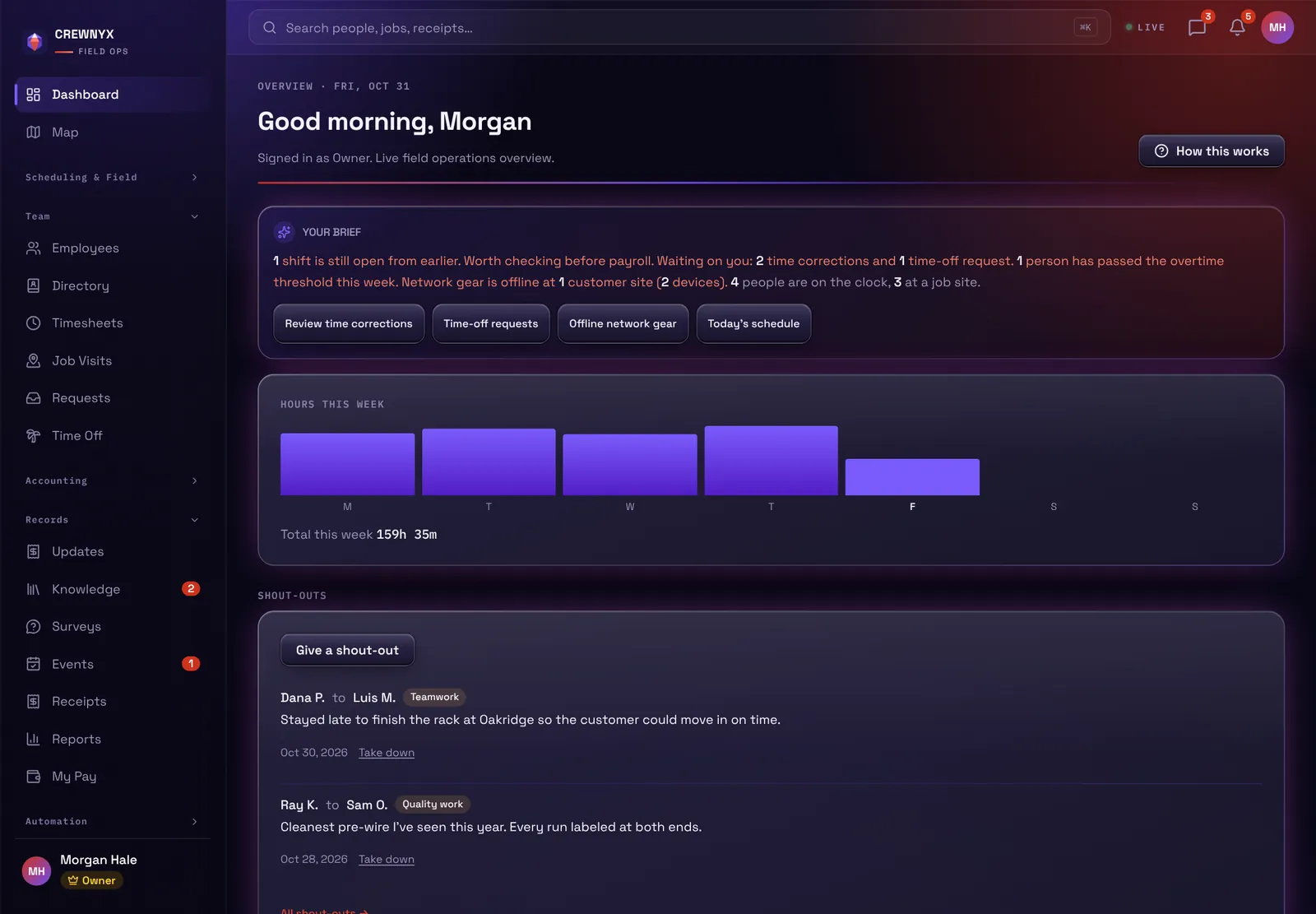
- Google Calendar. Your calendar's events on the Schedule, and your assignments on the calendar. Business
- QuickBooks Online and Jobber. Receipts as expenses, and Jobber's clients and jobs in sync. Business
- Slack, Teams and Discord. Job notes posted to your channels, and on Slack a channel for every job site. Business
- An API and signed webhooks. Your hours, assignments, tasks and receipts in your own code, and Zapier. Business
Every integration
- Slack. Give every job site its own channel. Job notes post there when a visit is written up, and replies come back.
- Google Calendar. Your calendar's events on the Schedule, and your Crewnyx assignments on the calendar.
- QuickBooks Online. Send receipts to QuickBooks as expenses, paid from the account you pick and filed under the category you pick.
- Jobber. Sync jobs and clients between Jobber and Crewnyx, and send receipts to the job as expenses.
- Bouncie. Live vehicle location, trips, health and mileage.
- UniFi. Every client site you manage in one fleet view. Open any one to see what's happening on it.
- Alarm.com. See which customers' Alarm.com devices are offline or not reporting.
- Microsoft Teams and Discord. Post job notes to a Teams or Discord channel.
- API and webhooks. Read your hours, assignments, tasks, receipts and time off from your own code. Get a signed message the moment someone clocks in or out, files a receipt, finishes a task or requests time off. Works with Zapier. Documented at crewnyx.com/developers.
- Payroll services, on every plan. Payroll files laid out for Gusto, QuickBooks Payroll, ADP and Paycor.
Getting started
Ready before the crew's first day.
The order our setup guide gives every new company.
- Your workweek, overtime and time zone. Check the day your week starts, when overtime begins and your time zone.
- How lunch works. An unpaid lunch taken out on its own, a lunch the crew clocks out for, or none.
- The time-clock rules you want. Turn on only what you need and leave the rest off.
- Invite the crew. Each person gets a link to join, and you send it however you like: a text, an email or in person.
- Bring in your customers. From Excel, Google Sheets, a CSV, or a QuickBooks or Jobber export. Nothing is added until you've seen every row.
Get your crew in early.
Tell us about your crew and you'll hear first when Crewnyx opens. No card, nothing to pay.